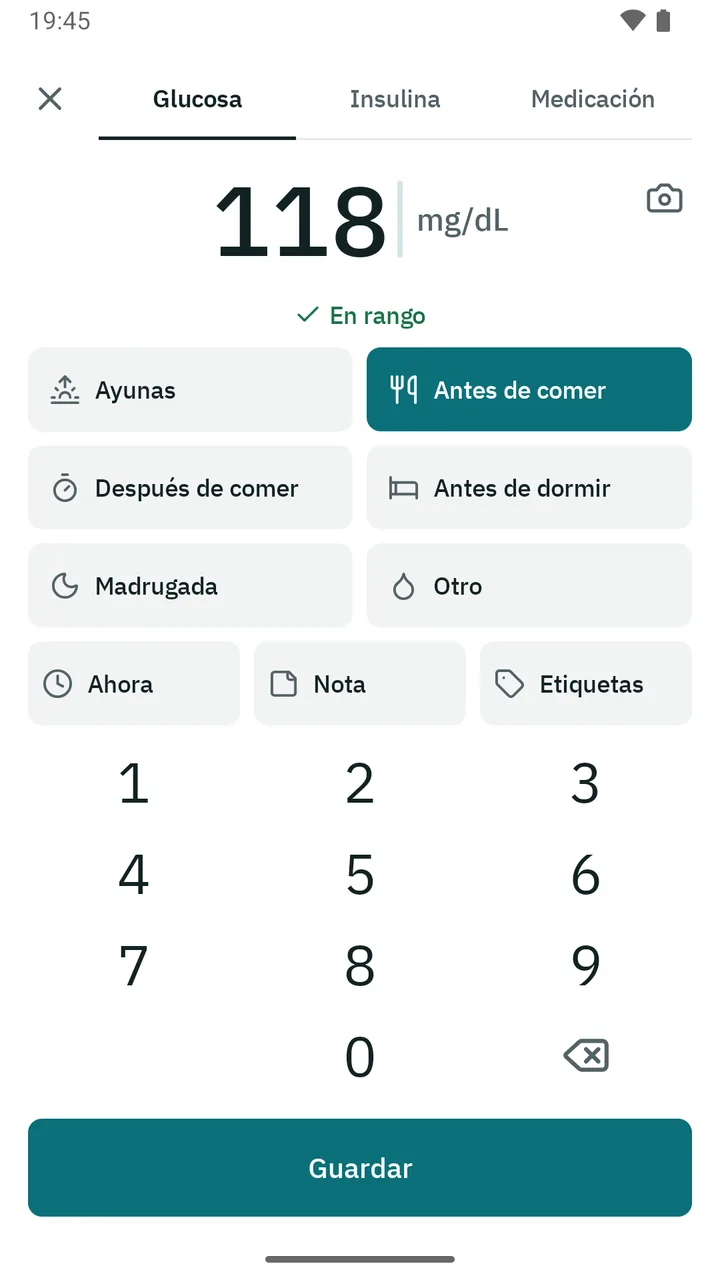
Log in two taps
Type the value on its own keypad and choose the timing: fasting, before a meal, 2 h after, bedtime. Add notes and tags, and write down insulin or medication.
Log your glucose in seconds, understand how you’re doing and arrive at your appointment with your data in order.
Everything stays on your phone: no accounts, no internet and no ads.
Coming soon to Google Play
Type the value on its own keypad and choose the timing: fasting, before a meal, 2 h after, bedtime. Add notes and tags, and write down insulin or medication.
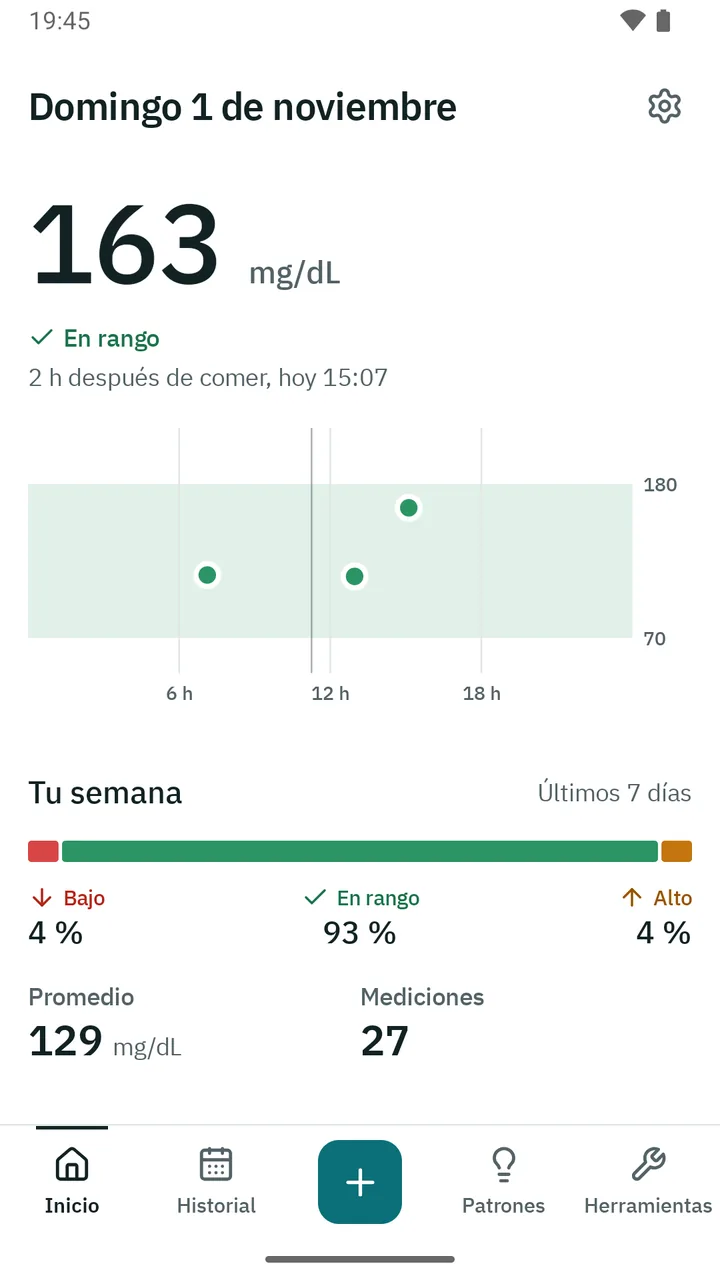
Your latest reading, the day’s chart and your week in numbers. With a home screen widget and shortcuts to log even faster.
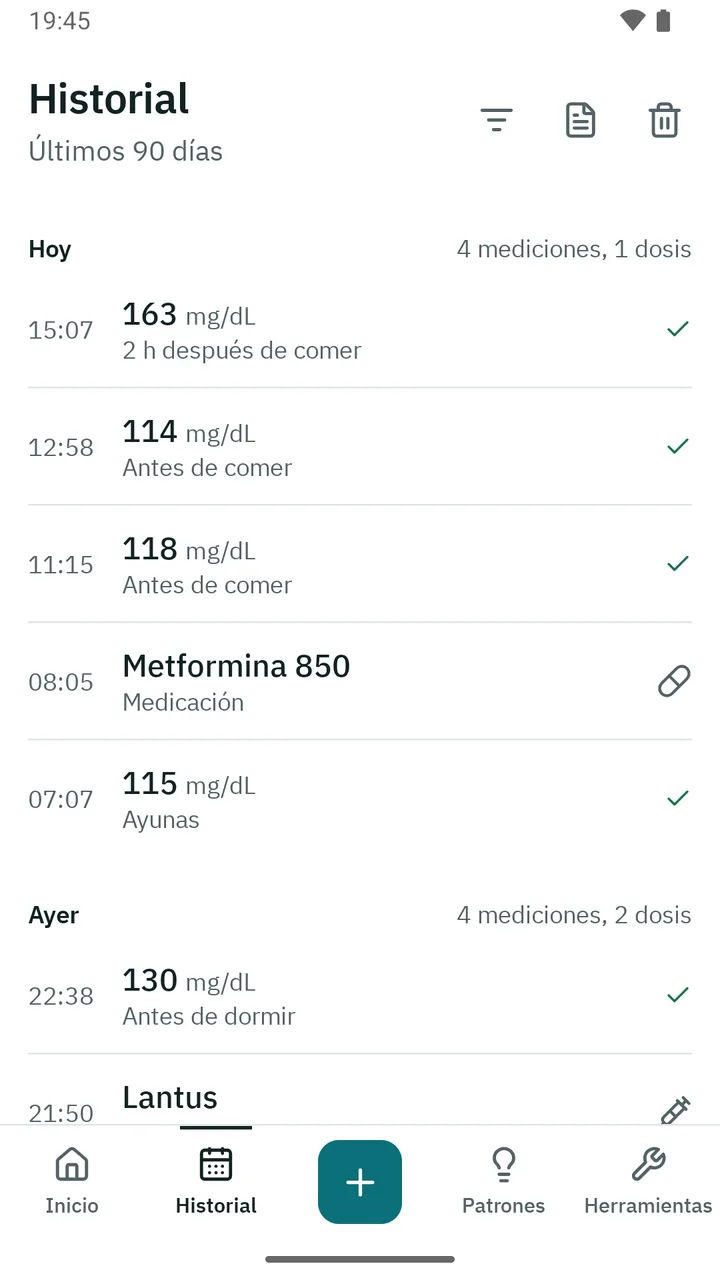
By day, with charts and bands for your target range, search and filters. Readings and doses in one place.
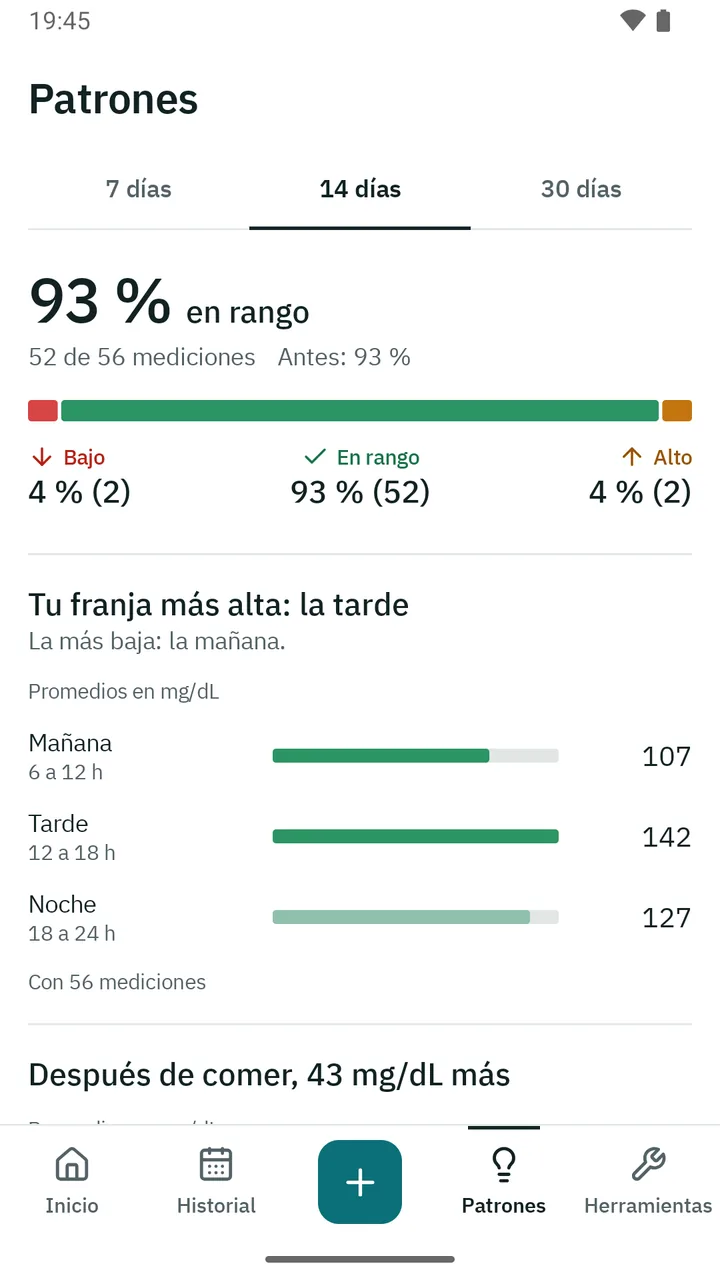
For example, whether your values are higher on weekends or after dinner. They only describe your data.
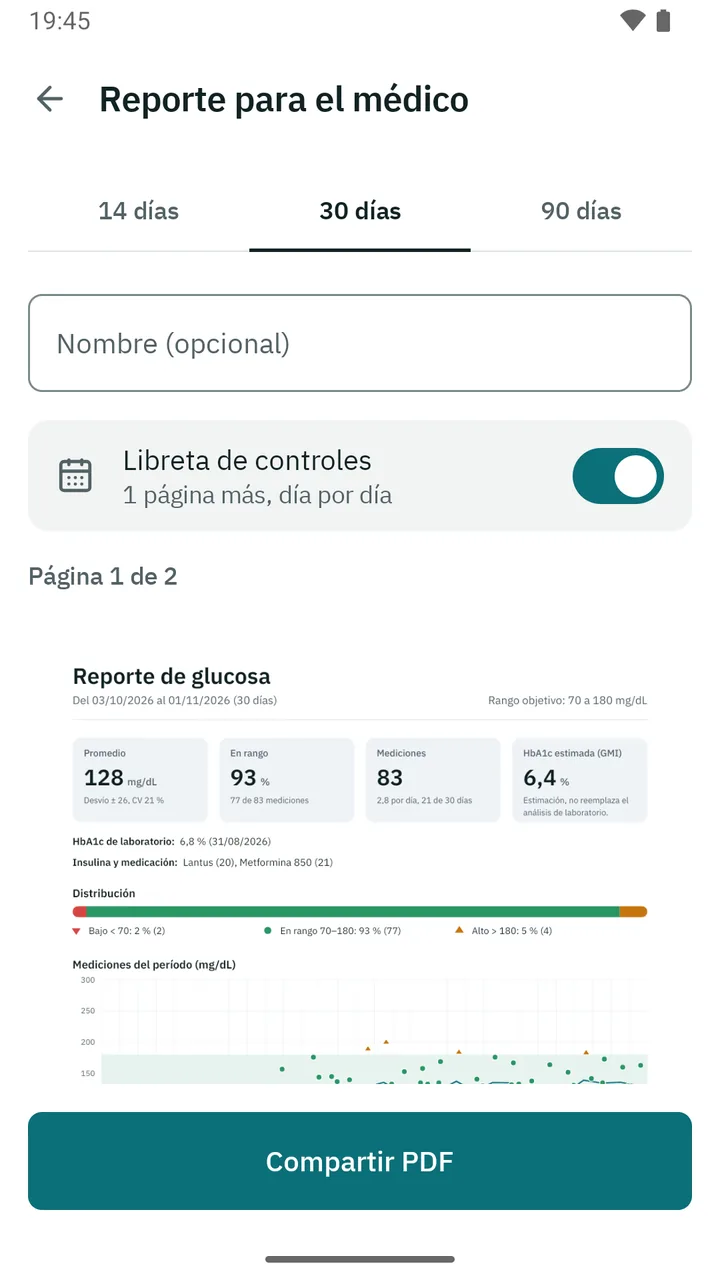
A PDF report for your doctor: average, time in range, a chart of the period and tables by timing and time of day. And a logbook, like the paper one.
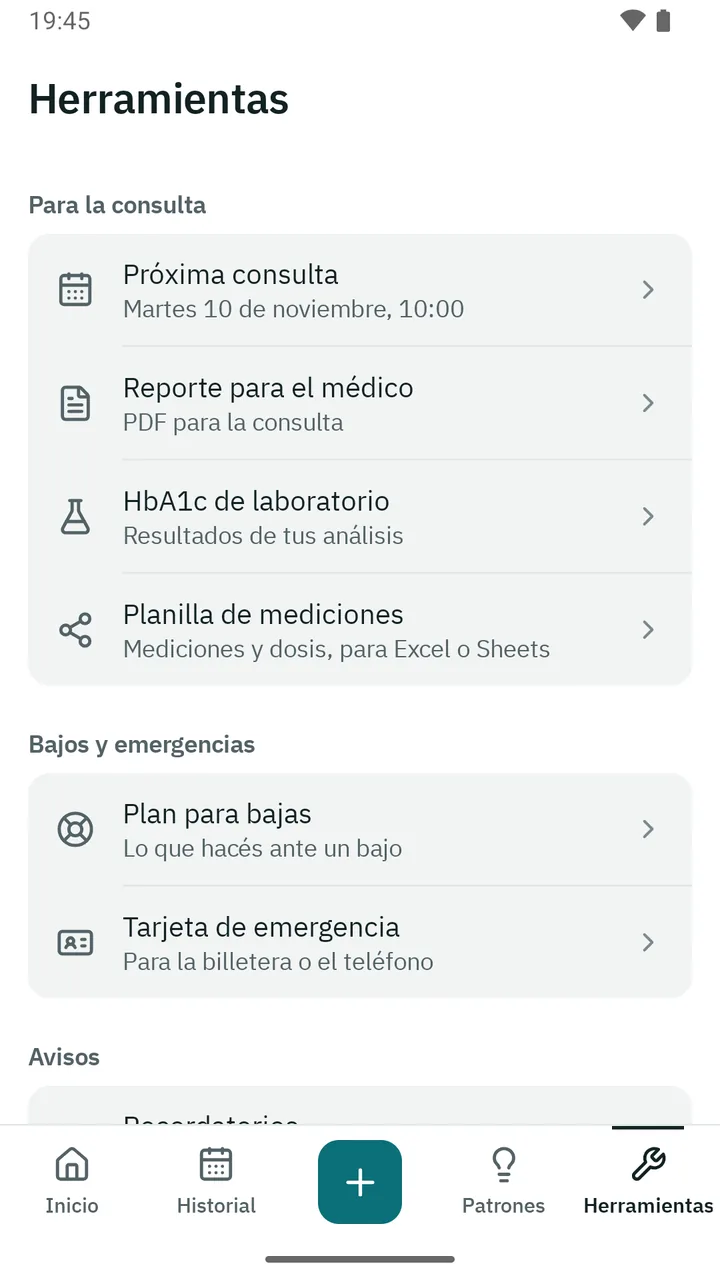
Your next appointment with the questions you want to ask, your lab HbA1c results and a spreadsheet for Excel or Google Sheets.
Your plan, written with your doctor, appears when you log a low value. A reminder to check again, in the minutes you choose, and your contact one tap away. An emergency card to print or carry on your phone.
To check, for insulin or for medication, on the days and at the times you choose. A weekly summary on Sundays, if you want.
How many strips, lancets and needles you have left and how many days they’ll last. A reminder to ask for your prescription in time.
Import readings from meters that use the standard glucose profile, such as Accu-Chek meters with Bluetooth. It only brings new readings and never duplicates them. Without a compatible one, you enter values by hand.
Choose the spreadsheet (CSV) another app exports and Nivela recognizes the columns.
If you want, add Health Connect to see whether your values change with them. They’re only read, on your phone.
Your data is stored encrypted and only on your phone. It only leaves if you share it.
No. Nivela has no accounts: open it and start logging.
Only if you share it, for example when you send the PDF to your doctor. Nivela can’t connect to the internet.
No. Nivela logs, shows and describes your data. It doesn’t indicate doses or treatments: you decide those with your doctor.
Android 7 or later. Steps and sleep need Health Connect, available from Android 9.
No. You can enter values by hand. With a compatible meter, readings come in on their own.
English and Spanish. It follows your phone’s language, or choose one in Settings.
Nivela is not a medical device and does not diagnose, treat, cure, or prevent any medical condition. It does not indicate doses or treatments. If you have any questions about your health, always talk to your doctor.
Questions about Nivela?
Write to us